NAS phones your clients the moment a worker is running late, off sick or can’t make a visit. If they don’t pick up, it texts them. If they text back, the reply lands in your Care Partner’s inbox. Nobody is left wondering, and nobody spends the morning on the phone.
Set up in a minute – your account is live as soon as you’ve signed up. · Already have an account? Sign in →
When a team member can’t make it, someone has to ring every affected client – chasing voicemails, calling back, falling behind. It happens during the busiest part of the day, and it pulls your Care Partners away from the work that actually needs them. Worse, the person who doesn’t pick up is the one most likely to be sitting at home waiting. NAS does that calling for you, instantly and in parallel – and keeps going until someone has actually been told.
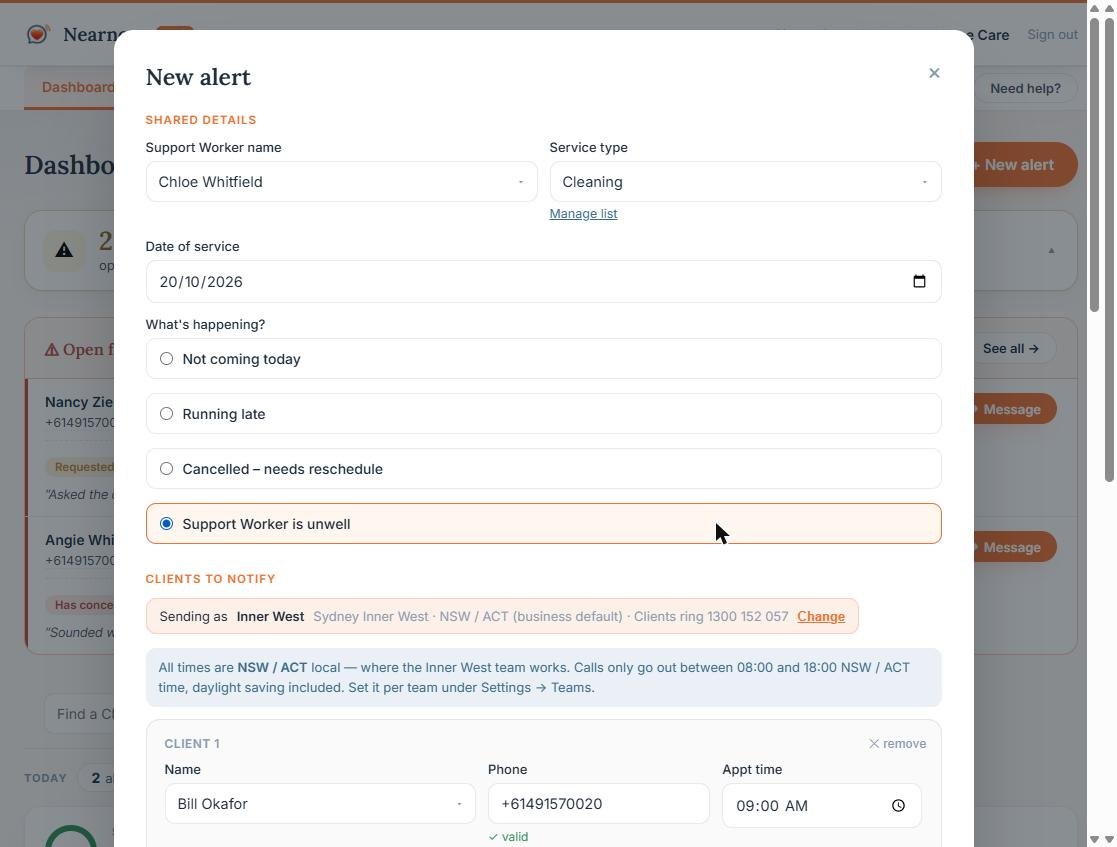
Pick the worker, the reason and the date, then tick the affected clients from your client list. Choose a call, a text, or both for each person. Send it now or schedule it for later.
NAS calls everyone at once with a warm, roughly 60-second message that names the worker and the reason – then follows up by text if the call isn’t answered.
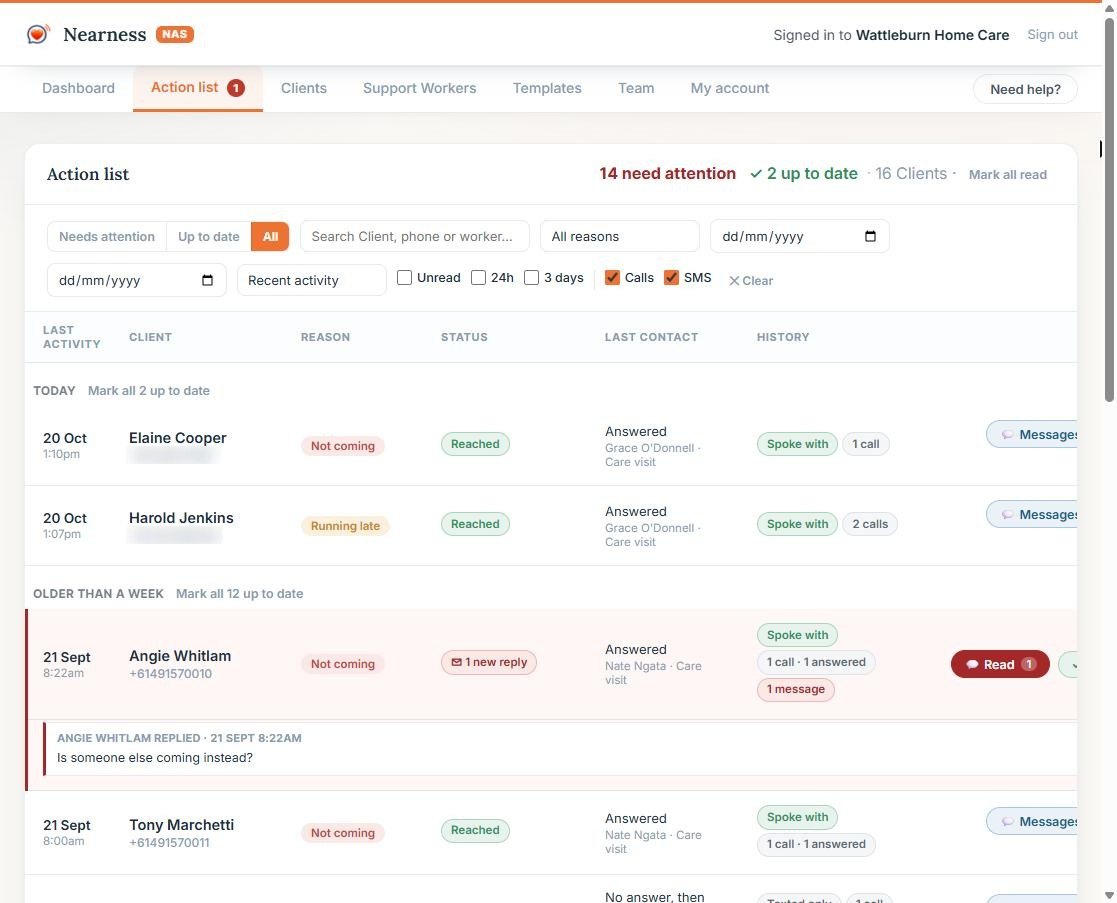
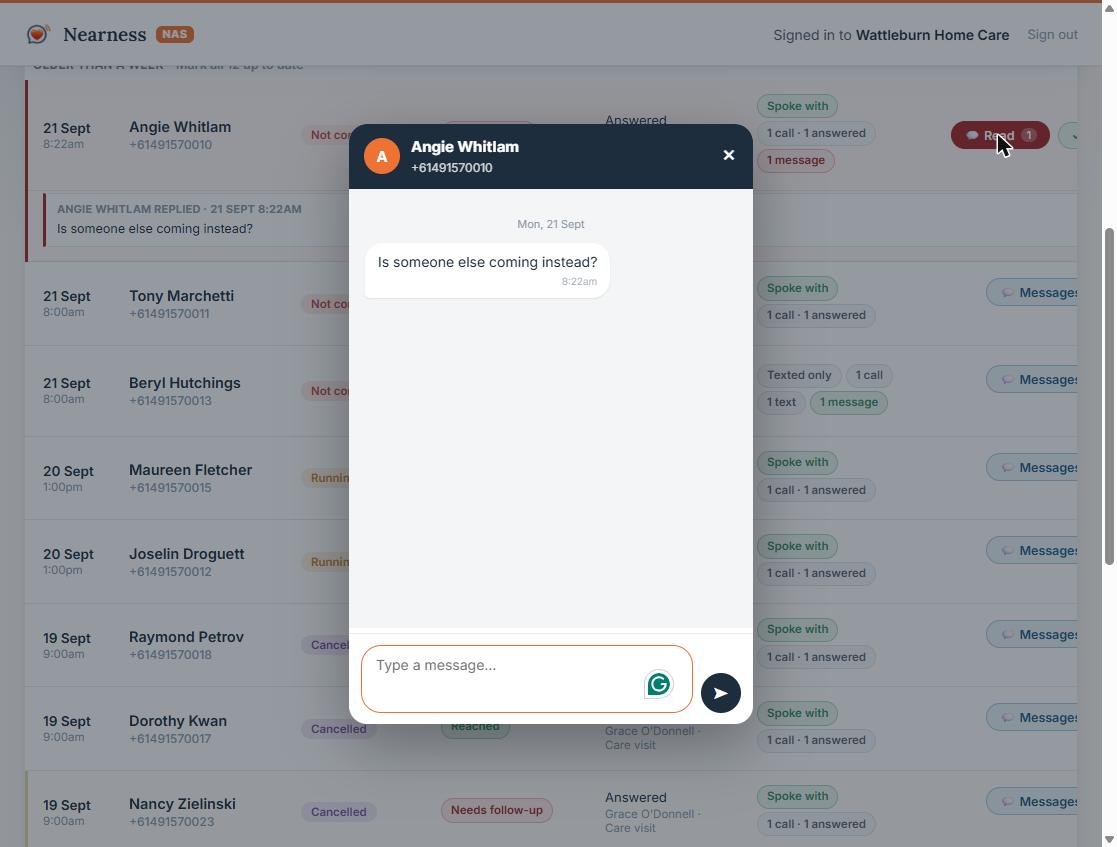
One row per client showing what happened, what they said, and anything still needing a person. Replies arrive in a conversation you can answer from the dashboard.
The client who doesn’t pick up is the one who most needs to know. NAS escalates automatically, and tells you the moment it runs out of options.
A calm, clear call that names the worker and the reason, and asks whether they’d like a replacement or to rebook.
No answer the first time? NAS waits and tries once more, so a missed ring isn’t the end of it.
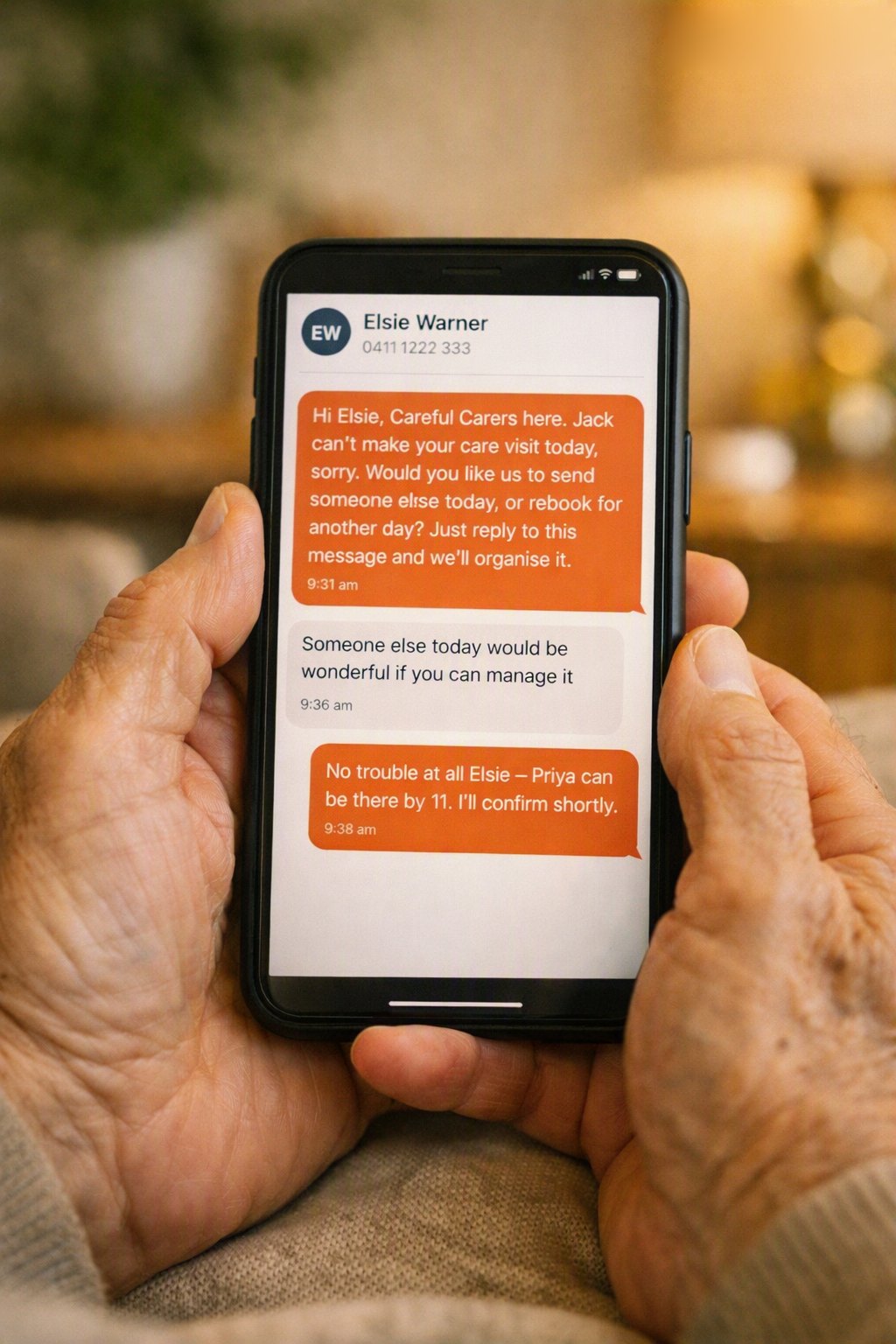
Still no answer, so we text – the same information, in words they can read back later, from a number they can reply to.
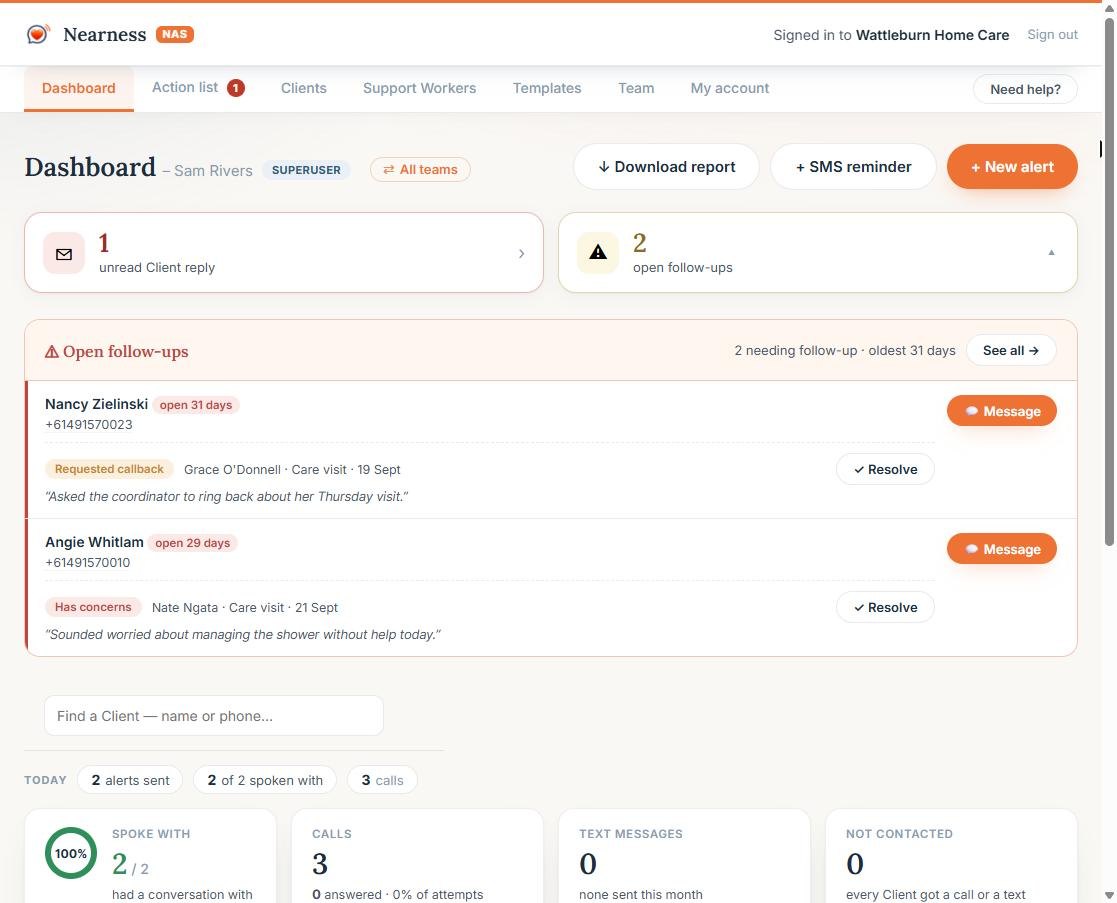
If nobody could be reached, or a client says something that needs a human, it goes to your follow-up queue and an email goes to the Care Partner.
Your NAS Dashboard updates in real time at every step – so your Care Partners always know exactly who has been reached, who replied, and who still needs telling.
Every message goes out from a real Australian mobile number, allowing your clients to respond to your messages and keep the conversation going. New messages are alerted in your dashboard as an ongoing conversation with your client. Care Partners can text with clients via the online dashboard.
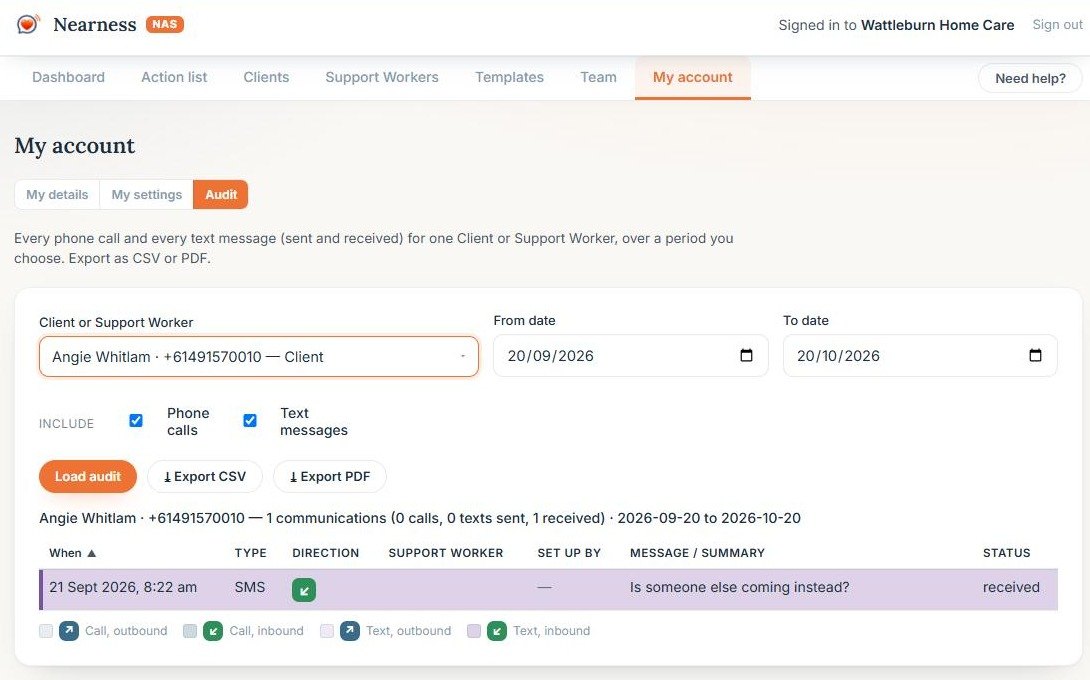
Every call and every message for a client sits on one timeline, so you can see the whole history at a glance – who called, who answered, what was said, and what happened next.
If your people visit clients on a schedule, NAS keeps those clients informed when plans change.
Twenty clients notified in the time it takes to dial one. No phone tag, no morning backlog.
Care Partners spend hours dialling, waiting on hold, and chasing answers. NAS removes the disruption by handling the work in a fraction of the time – and you only pay for calls that actually connect.
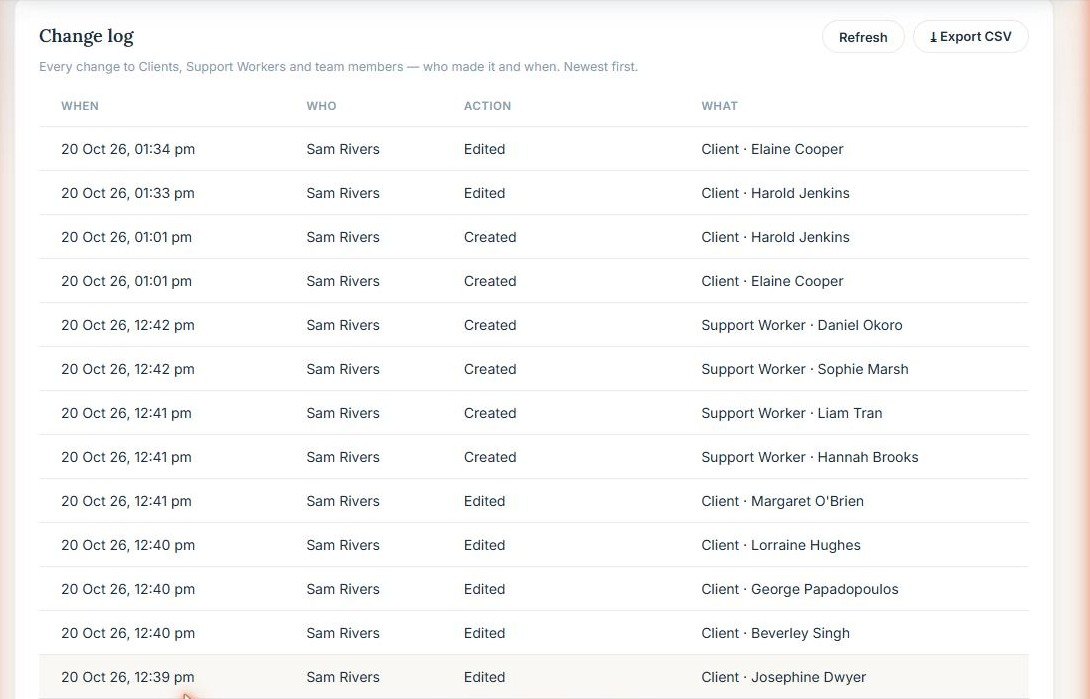
Every call, text and reply logged with a timestamp and an outcome. Invaluable for NDIS and aged-care compliance.
The same calm voice (phone) and wording (SMS) every time, tailored to the appointment – naming the worker and asking the questions that actually move things forward.
Every feature below comes as standard.
Keep everyone on file with their phone, service and preferences. Bulk import from a spreadsheet.
Some clients prefer a warm conversation whilst others want clear instructions via SMS. Care Partners can choose what happens.
Protect your clients by setting clear, responsible calling hours – automatically aligned to each client’s own state and time zone.
Inform your clients about upcoming appointments. Schedule it now and it goes out at the time you choose.
Clients with missed calls or unresolved concerns are flagged and prioritised, ensuring Care Partners can quickly step in, resolve the issue, and mark it complete.
Care Partners see clients. Team leaders see relevant clients and financials. Superusers see everything.
Default message templates can be customised to reflect your organisation’s style and brand.
Download a full communication record for any date range – every contact, outcome, note and transaction, ready for an audit.
Update status of workers to easily identify available staff to send as replacements.

A $299/month subscription covers your whole service – up to 100 team members and up to 5,000 clients, with no per‑user charges. Calls and texts are pay‑as‑you‑go from a balance you top up in the dashboard, so you only ever pay for what you actually use.
Welcome offer for new businesses. The 50% discount applies to your first monthly fee; usage is billed as normal.
Monthly
$299/month
Annual – save 20%
$2,870.40/year
$2.50 / connected call
A notification call that connects and delivers your message is $2.50 – the moments that matter most for your clients.
$1.50 / miss + text
If a call isn’t answered, we automatically follow up with a backup SMS so the message still lands – both together for just $1.50.
17c / chat reply
Replies you send back in chat are 17 cents each. Messages your clients send to you are always free.
Prices exclude GST. 10% GST is added at checkout and itemised on your tax invoice. Running a larger service – more than 100 team members or 5,000 clients? Talk to us about an enterprise plan.
Owned, operated and supported here in Australia, on Australian numbers.
Calls identify themselves honestly – never deceptive, never pretending to be a person.
Client details are used only to make the contact you asked for, and are never sold or shared.
If a client couldn’t be reached by phone, you are told. All clients receive the information every time.
Create your account and set up your clients today, then send your first alert. Monthly or annual, no lock‑in contracts – cancel any time, and your first month is half price.
Choose your path
Warm, regular companion phone calls for an older loved one – easing loneliness and keeping family in the loop.
See moreAutomatic calls that let your clients know the moment a worker is late or can’t make a visit – so no one is left wondering, and your Care Partners aren’t stuck on the phone.
Explore NASYou can switch sides any time with the For families / For business toggle in the menu.